Digital menu · Orders · Management
The menu that
sells, orders
and runs the floor.
For you.
Guests scan a QR and order from the table. Everything lands in your kitchen; you run the floor and the bills and watch revenue in real time. One app, zero paper, no mistakes.
The guest experience
Ordering takes three taps.
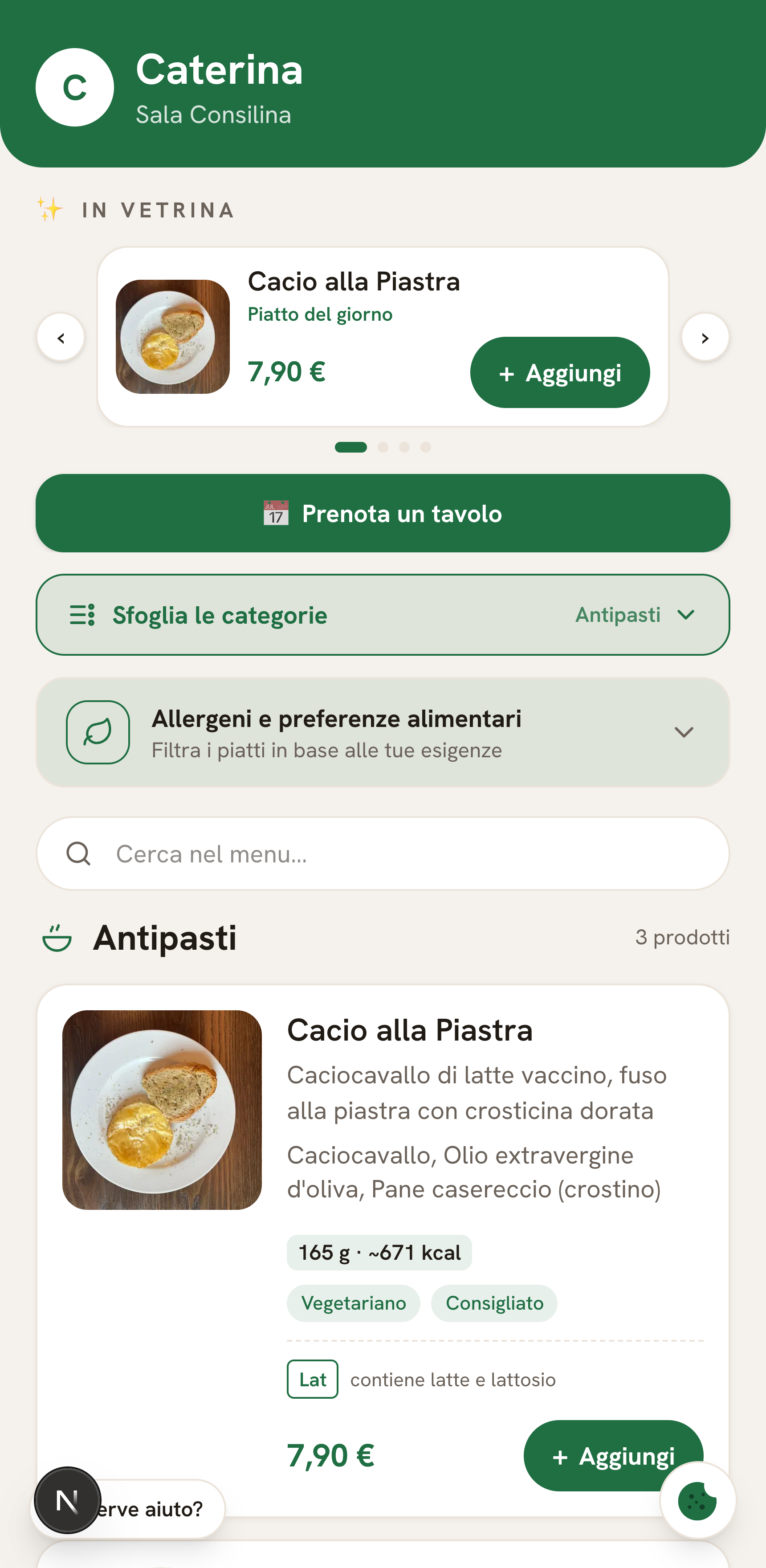
Scan & browse
A QR on the table opens the menu: real photos, descriptions, allergens and calories. Guests with allergies set a profile once and risky dishes get flagged automatically. Nothing to download.
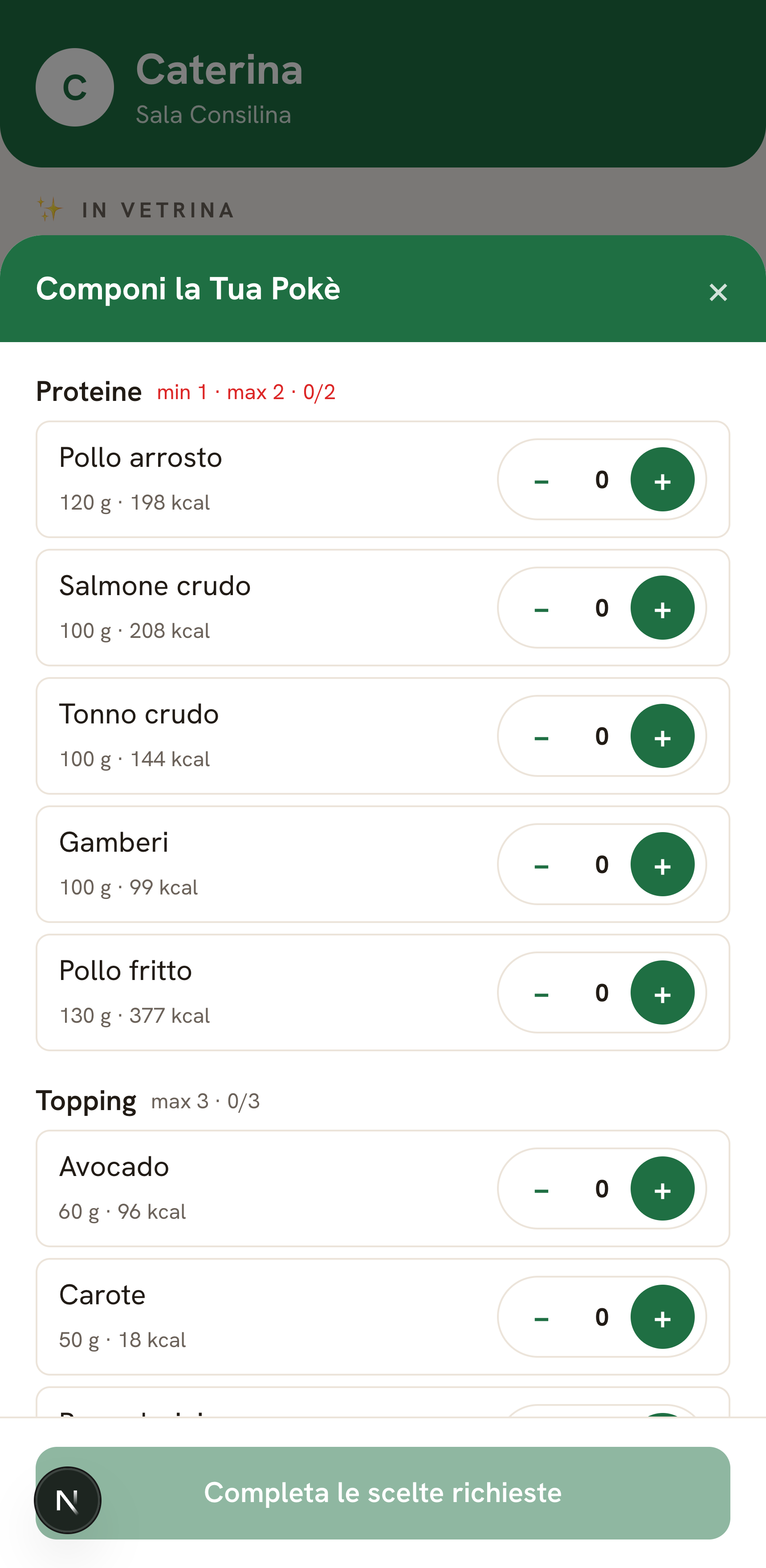
Build it your way
Poke, bowls and custom dishes with min/max rules. Every choice updates weight and calories automatically.
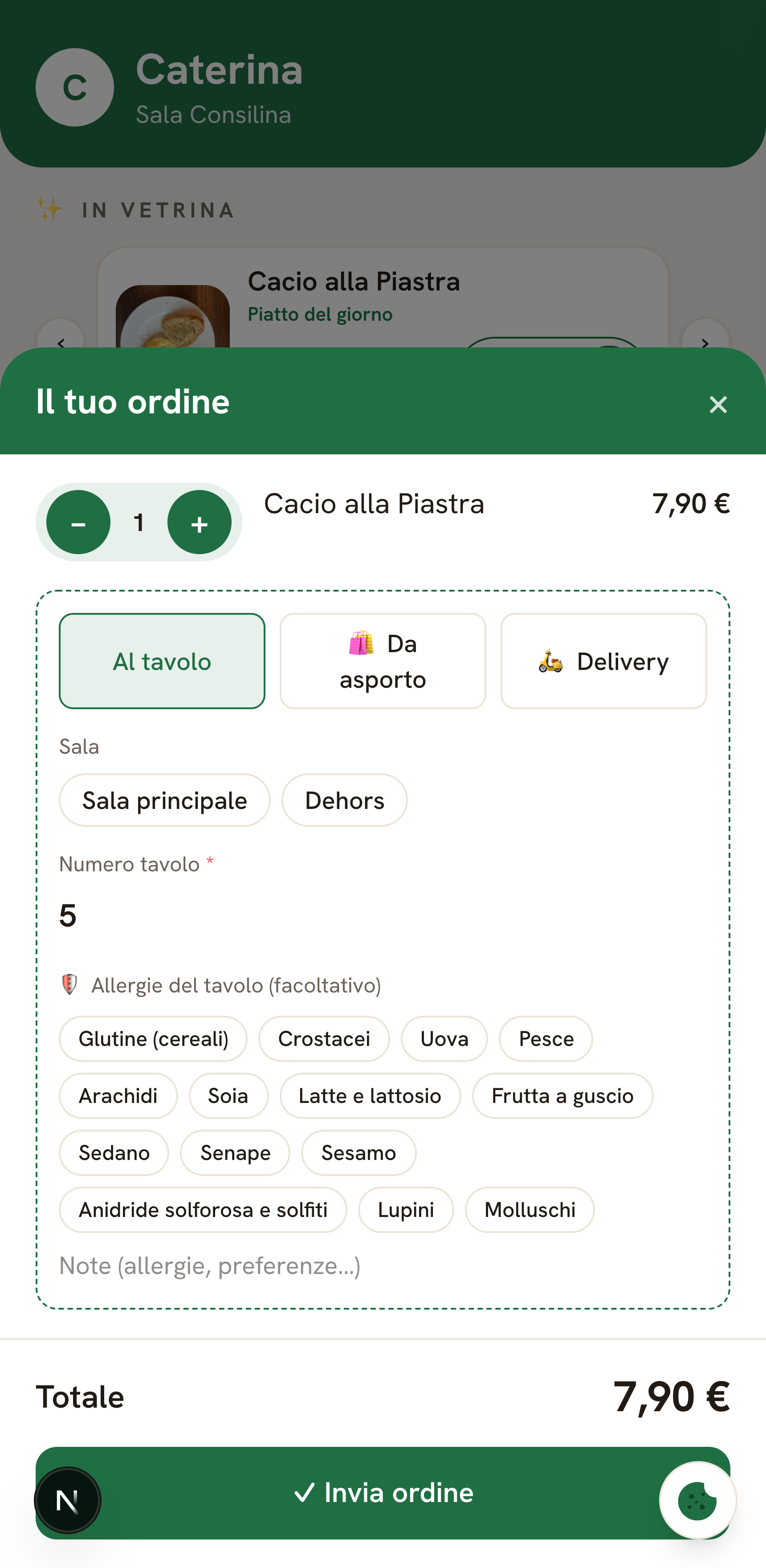
Order & pay
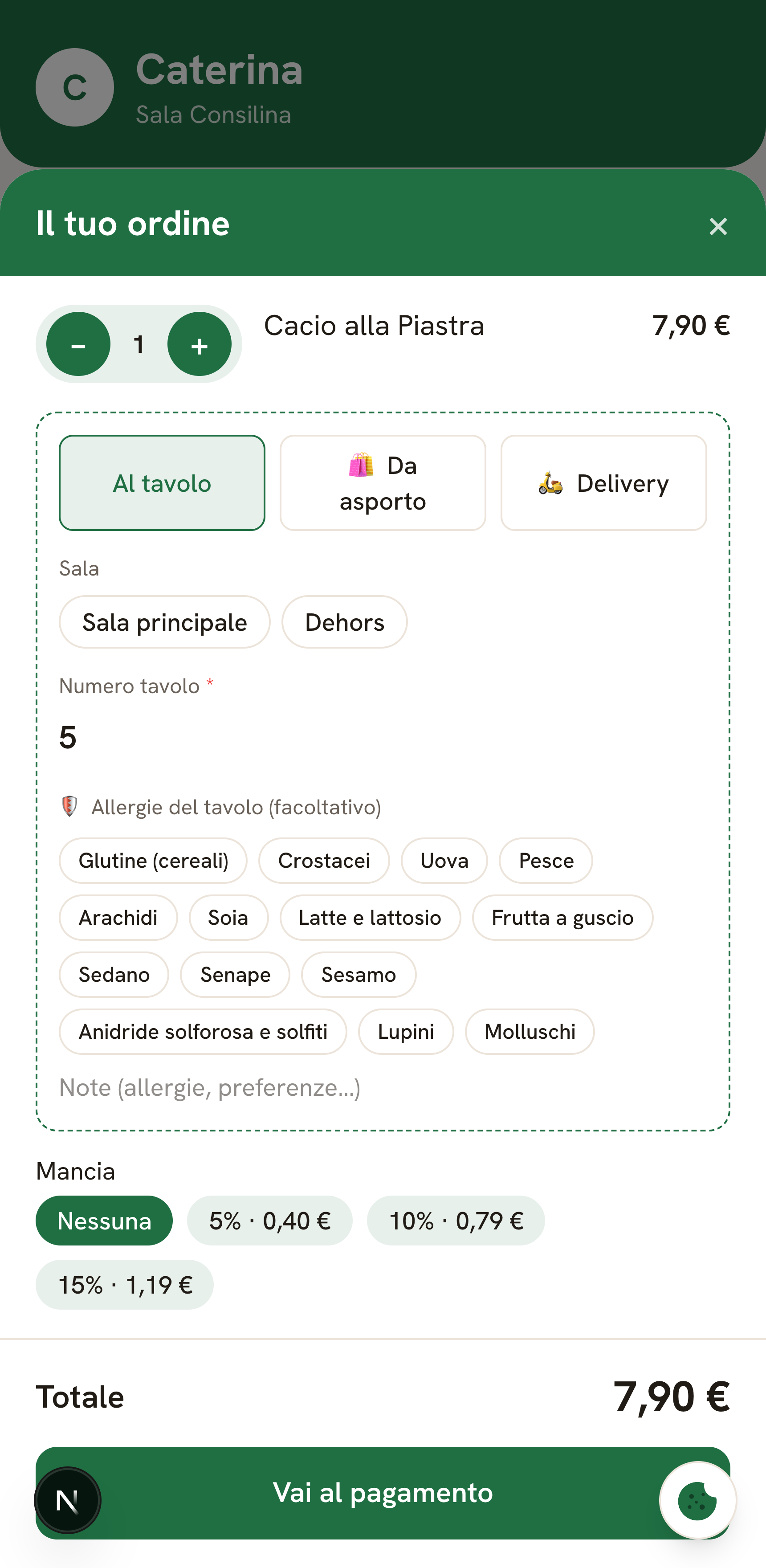
They pick dine-in, takeaway or delivery, flag any allergies and — if you enable it — pay online right away. You get the order instantly.
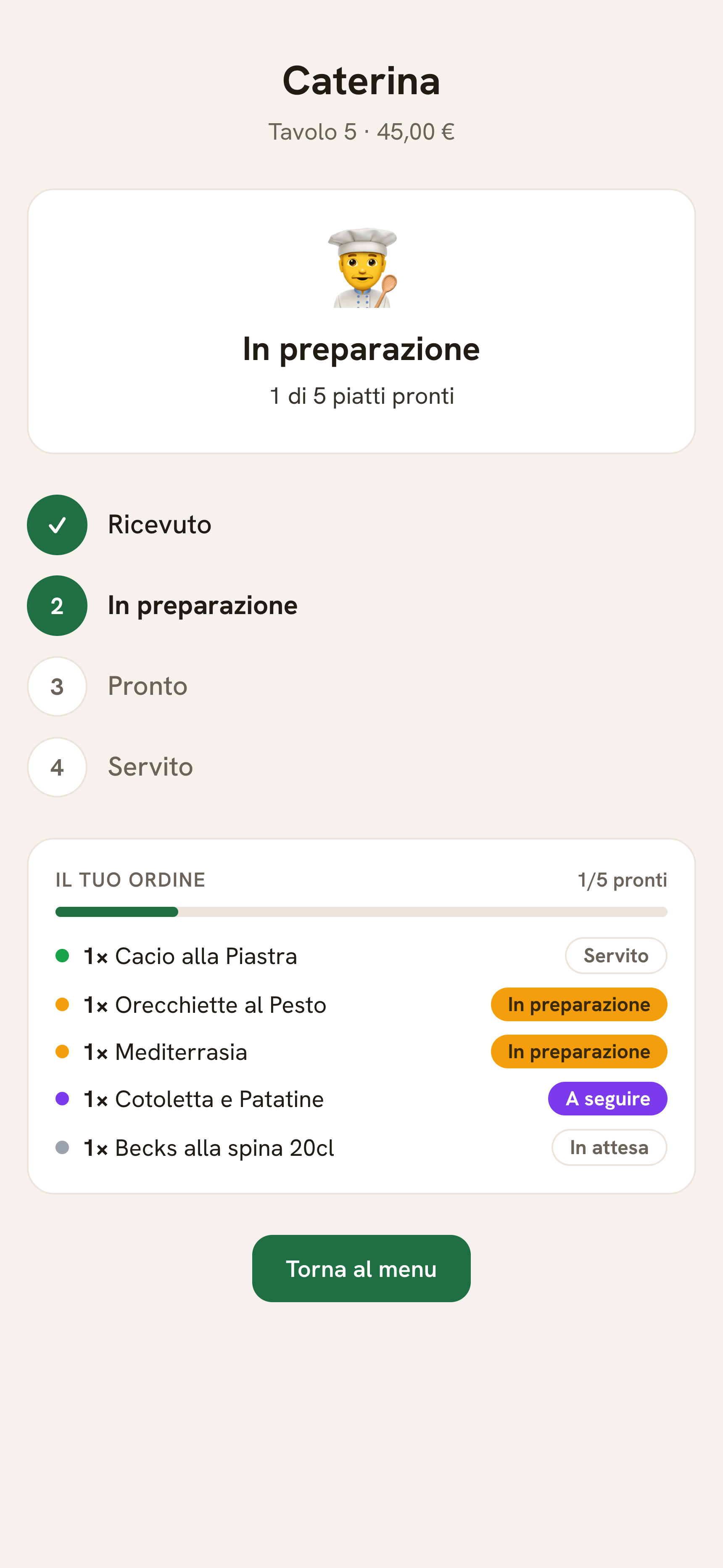
…then they follow the order, dish by dish.
The moment they order, guests can watch progress from their phone — not just “being prepared”, but the state of every single dish: queued, cooking, ready, served. Fewer “is it ready?” questions, calmer service.
Fulfilment & payment
Every mode, one flow.
- Dine-in — guests enter their table number and the order lands in the kitchen.
- Takeaway — orders under the guest’s name, ready when they arrive.
- Delivery — address and map location, no phone calls.
- Online or at the counter — cards, Apple Pay and Google Pay on a secure Stripe page, with money going straight to your account; or they pay at the till. Cover charge and tips included.
Totals are always recomputed server-side from real prices: no mistakes, no tricks.
Nutrition transparency
Calories and weight, computed for you.
Set calories per 100 g of each ingredient once: the app automatically totals weight and calories for every dish — build-your-own included.
- Clearly marked “~estimate” values, ingredient by ingredient.
- Bowl weight front and centre — a genuine selling point.
- Switch it on or off per dish.
Inventory & build-your-own
Your stock talks to your menu.
Set each ingredient’s stock once. Every order draws it down automatically and, when an ingredient runs out, dishes that use it stop being orderable.
- Build-your-own dishes — poke, bowls and custom plates: guests pick ingredients within the min/max rules you set.
- Automatic “sold out” — when stock hits zero the ingredient disappears from the choices and the dish locks. No more “sorry, we’re out” at the table.
- Numbers that always add up — stock is drawn down safely even under heavy load; totals are recomputed server-side from real prices.
Works for single dishes too: set a product’s stock and, at zero, it stops being orderable.
The kitchen
The kitchen that never drops an order.
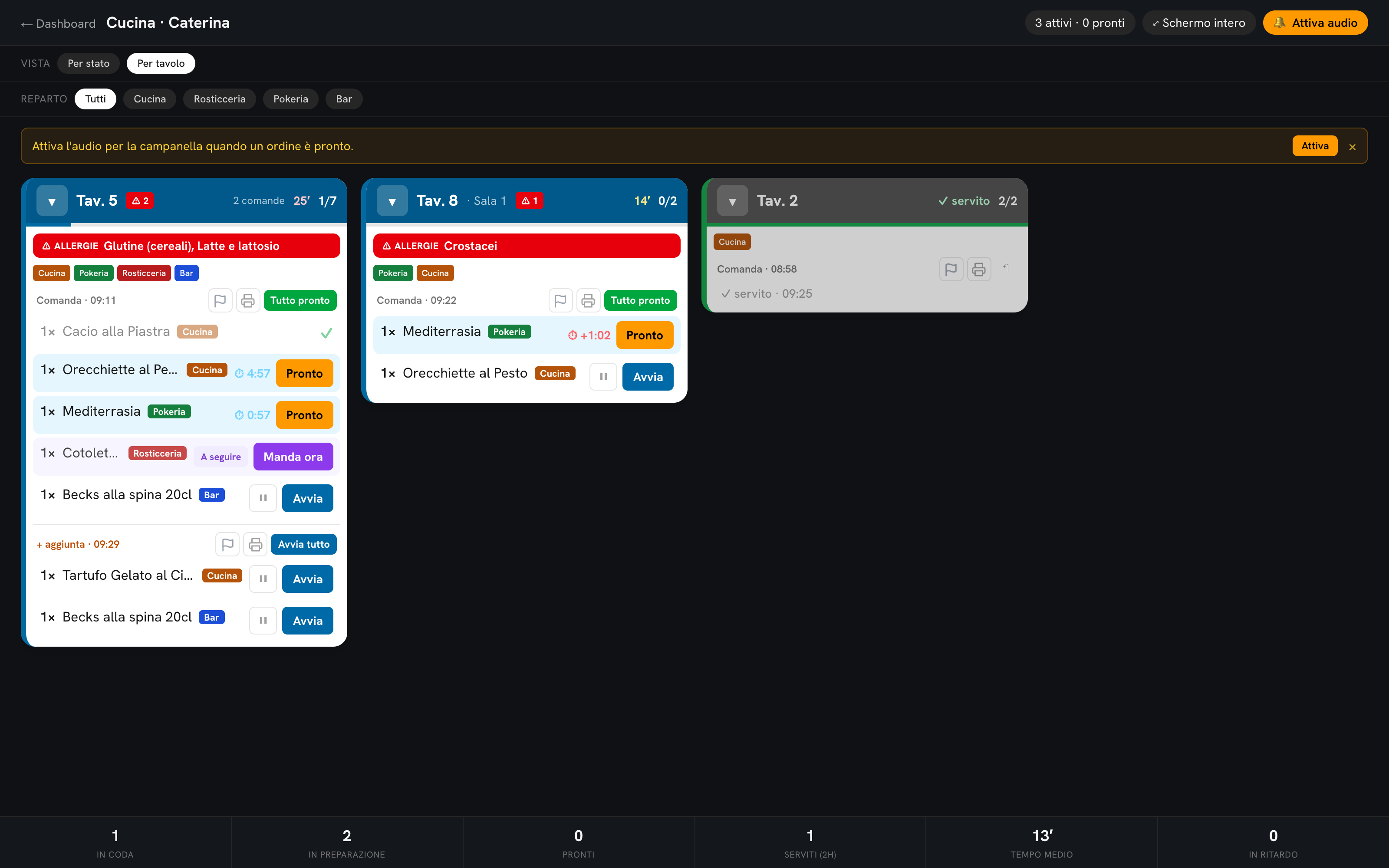
Real-time digital tickets: two views (by state and by table), per-dish starts, station routing, timers and priorities. And if you love paper, tickets auto-print on the printer you already own.
Per-dish start
Each dish starts and gets marked ready on its own, routed to its station (Kitchen, Bar, Poke…).
By table or by state
Two views of the same kitchen, with timers and late alerts: work the way you like.
Coursing (“hold & fire”)
Hold a dish and fire it at the right moment with one tap.
Drinks skip the queue
Pick the categories that skip the kitchen: water and drinks appear instantly as “ready to serve”.
Coursing · hold & fire
Mains when it’s time — not everything at once.
Pasta now, steak to follow: a chain that runs itself, from the table to the kitchen and back.
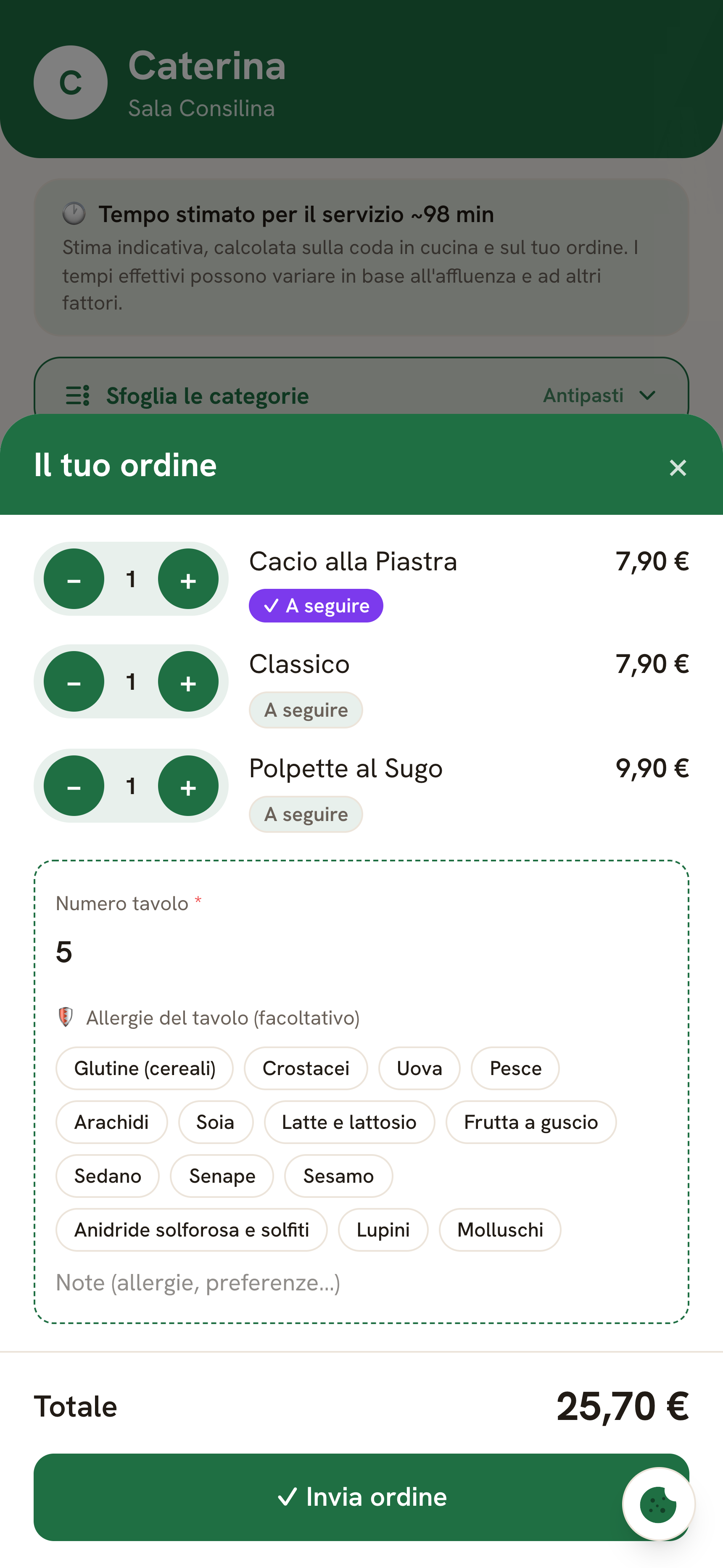
- Guests choose — in the order summary they mark dishes “to follow” (if you enable it).
- The kitchen holds — the dish waits on the screen without starting.
- The waiter fires — at the right moment, one tap and it starts cooking.
- Guests can see it — the dish shows as “to follow” until you fire it: they know it’s coming later, on purpose.
Each step can be enabled independently — efficiency across the floor, the kitchen and the table.
Prep times
Kitchen timing, under control.
Set a prep time per dish — or an average per category, used when a dish has none. From there, the app does the rest.
- Kitchen countdown — starts on its own when a dish begins cooking; runs red when it’s late.
- Queue at a glance — the app estimates how long each column needs to clear.
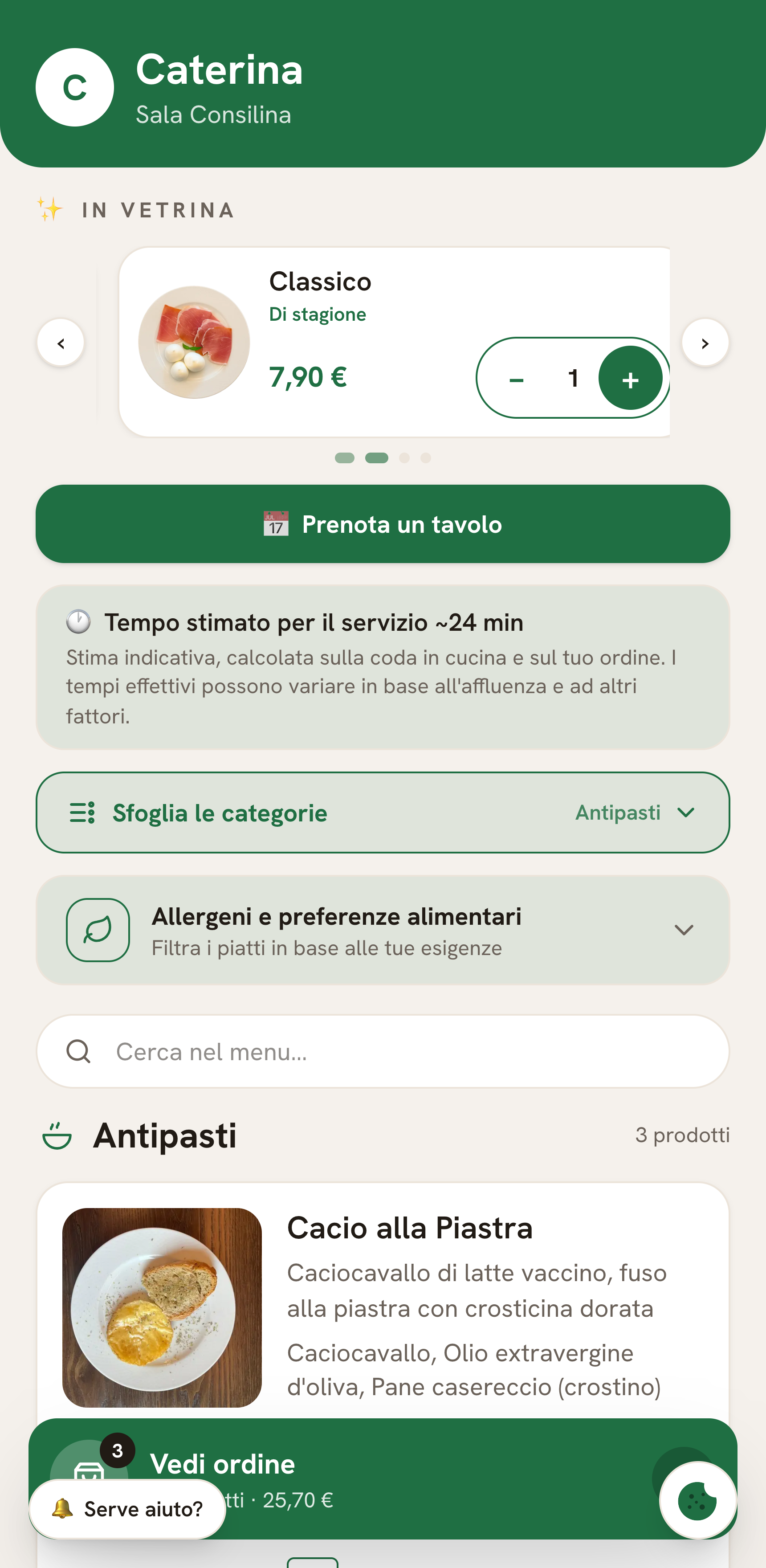
- Guest-facing wait estimate — optionally, guests see the estimated service time computed from the real kitchen queue.
- Honesty built in — when data is missing, estimates are flagged as approximate. Turn any of it on or off whenever.
Staff workstations
Every device does one job well.
After logging in, choose how each device is used: All view, Waiter or Cook. The kitchen tablet shows only the ticket screen; the waiter’s phone only the floor, orders, bills and reservations.
- Cook — just the Kitchen Display, full screen. Zero distractions.
- Waiter — Floor, Orders, Bills and Reservations: front-of-house work, nothing else.
- All view — for you, who see everything: revenue, menu, analytics, settings.
- The choice sticks to the device and can be switched any time with one tap.
The workflow
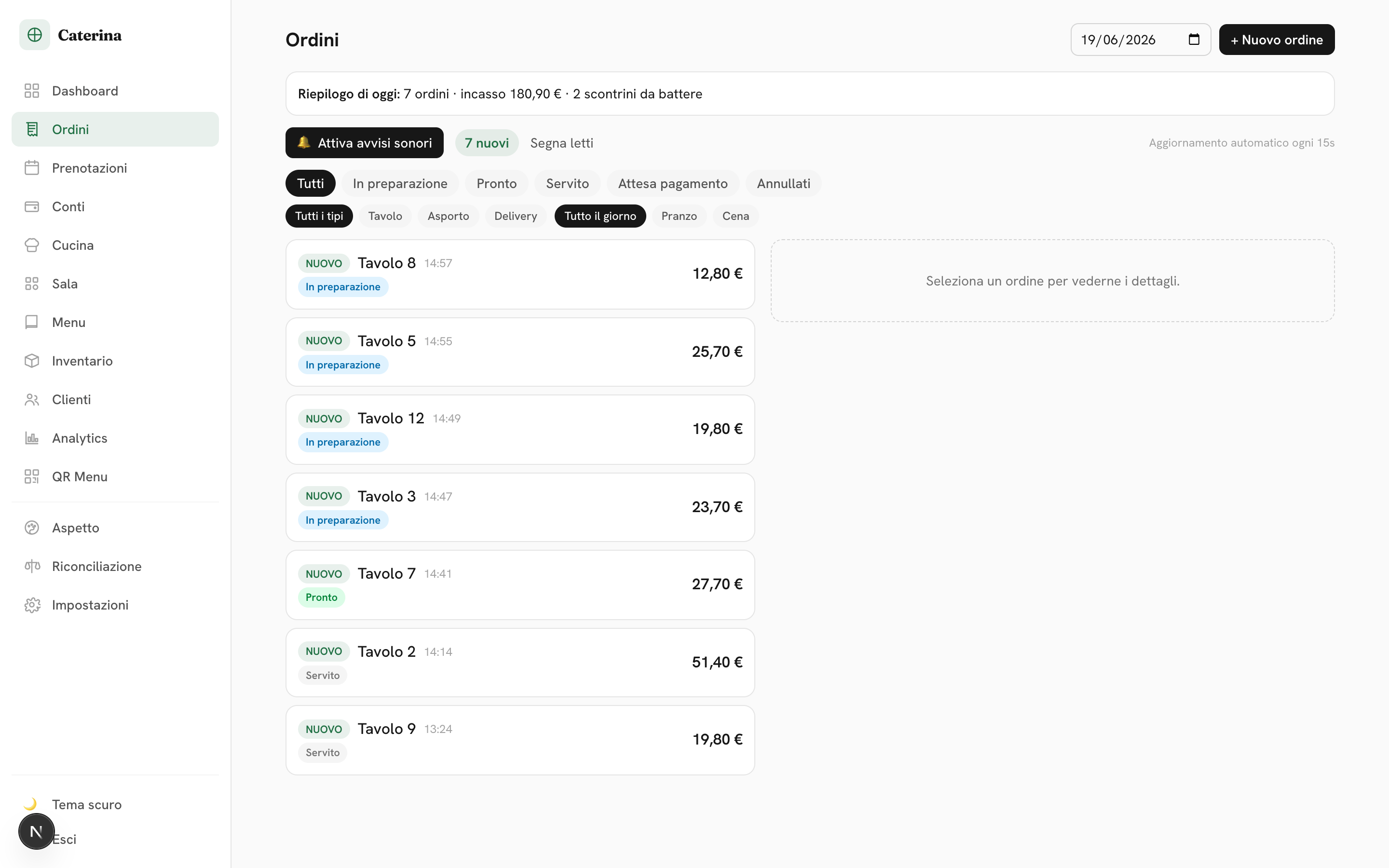
From order to bill, without friction.
- 1 The guest sends the order → it lands in Orders and the Kitchen.
- 2 The kitchen moves it forward; the guest can follow along.
- 3 You collect at the table or online; cover charge and tips are computed.
- 4 At the end, close the bill with one tap.
Instant Telegram notifications on every new order and reservation.
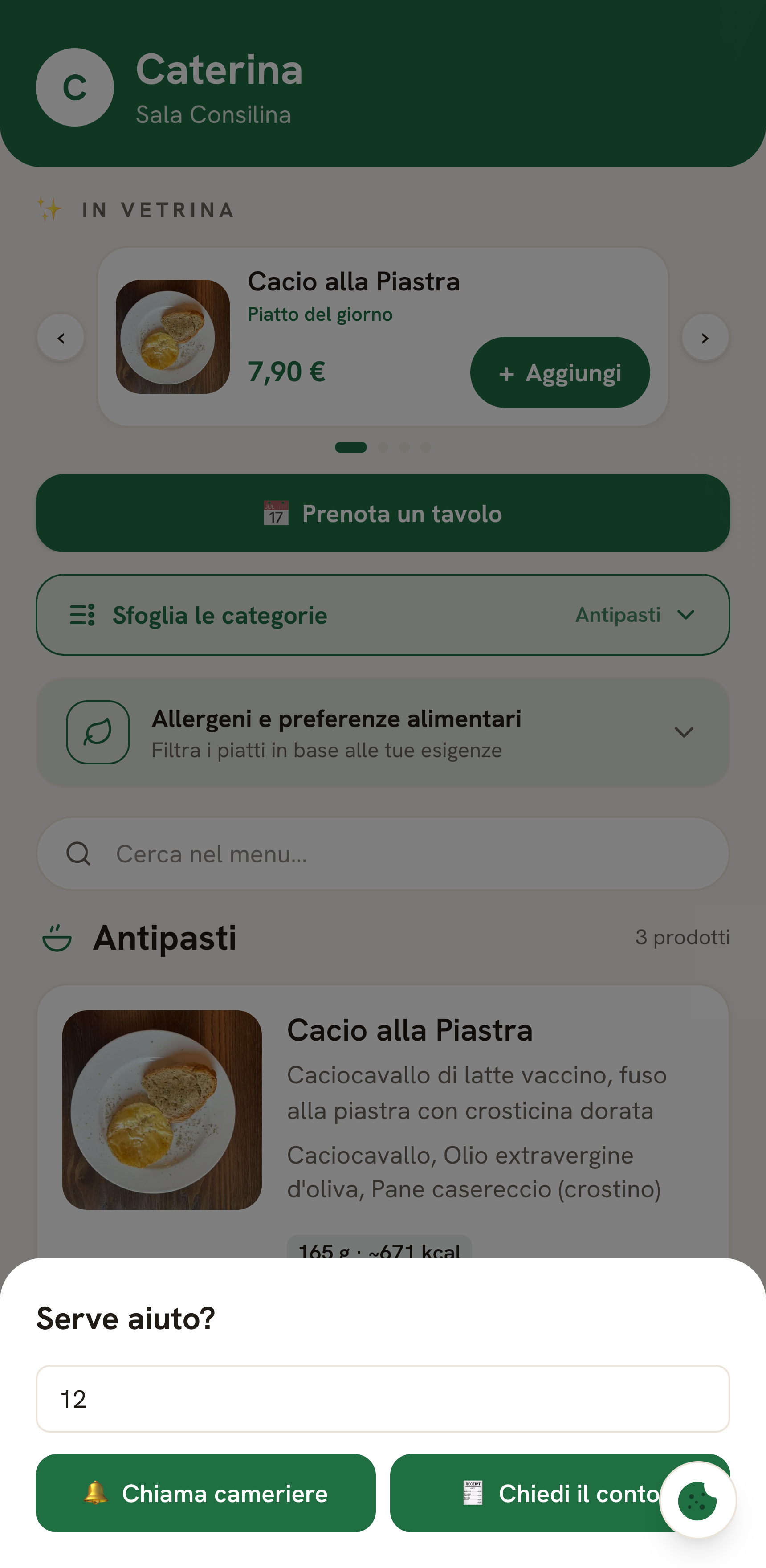
Table service
“Need anything?” is one tap away.
From the menu, guests call the waiter or ask for the bill in one tap. You get the request instantly — on Telegram and as a clear alert in the dashboard.
- Call the waiter — the guest picks the table, staff is alerted right away.
- Ask for the bill — the request arrives in real time: faster payments, faster table turns.
- Table requests — grouped in the dashboard, with a chime, cleared with one tap.
Bills & checkout
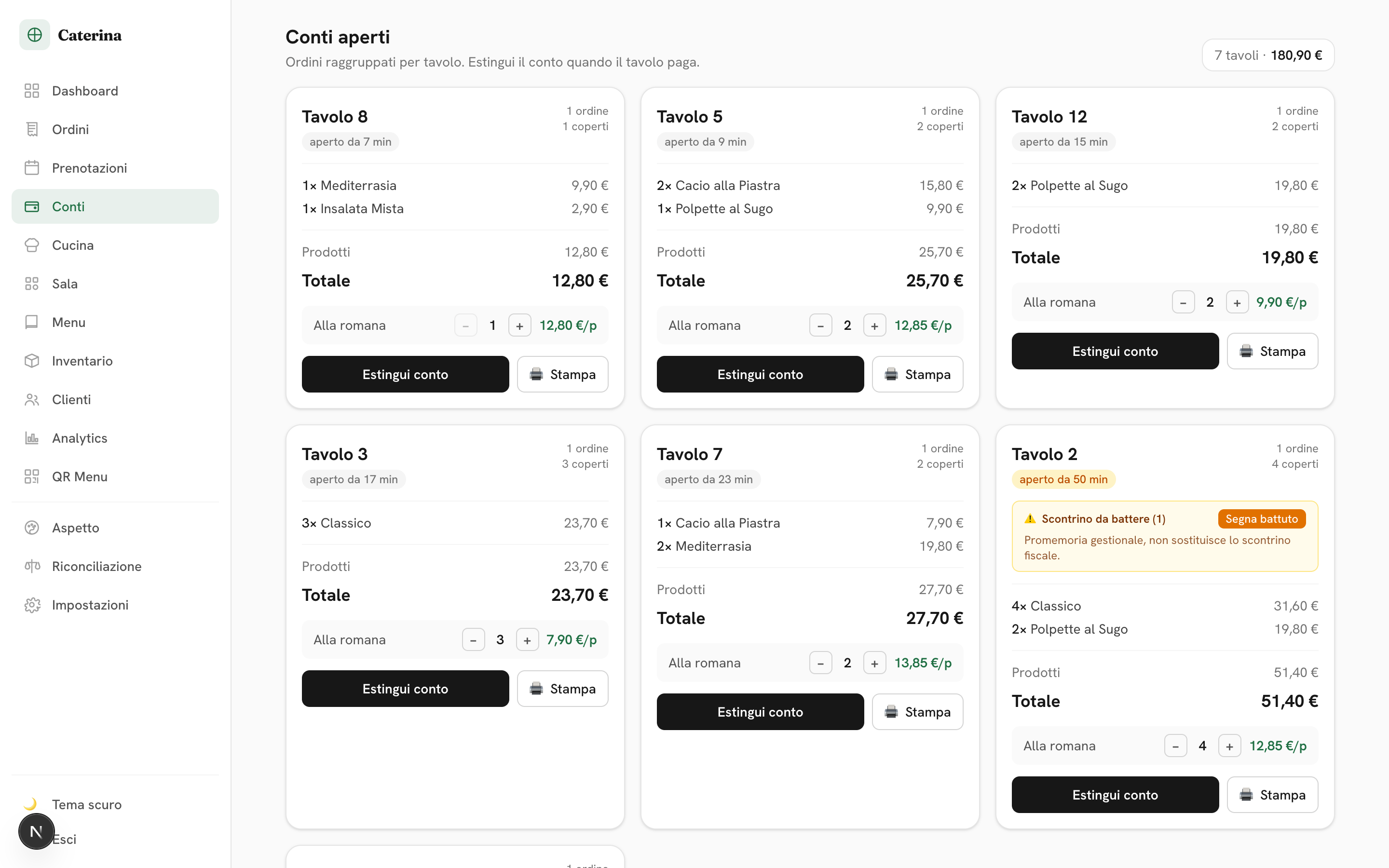
The table’s bill, always right.
Every order at a table rolls into one bill, updated in real time. When the table leaves, close it and everything is archived.
- Per-table total updated with every order, cover charge and tips included.
- Even split — per-head share in one tap: no calculator at the table, no queue at the till.
- Print the bill summary in one click.
Live floor map
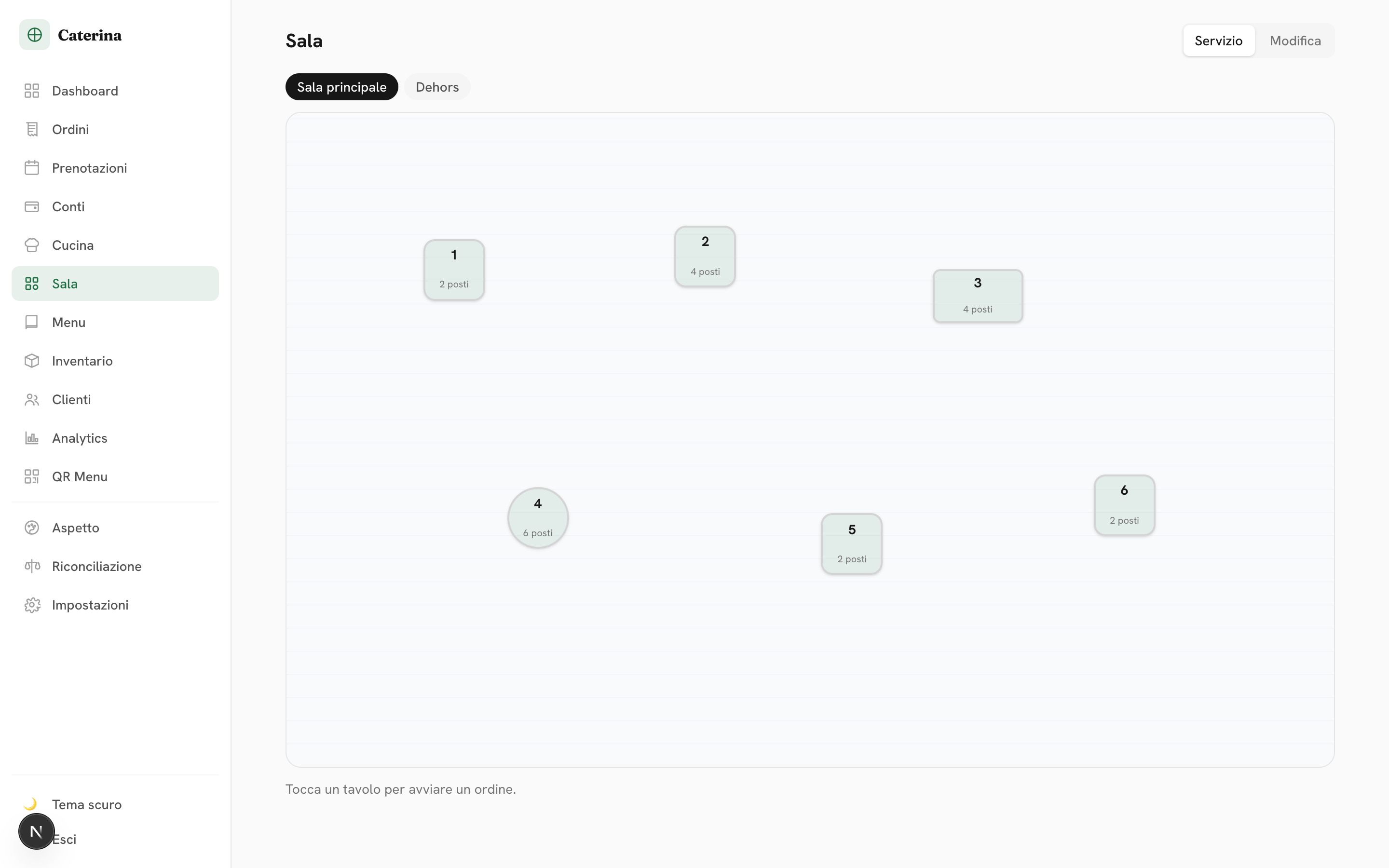
The floor map that colors itself.
Draw your floor plan with your rooms and tables. From there the map is alive: free tables in green, tables with open orders or bills in orange, updated live.
- Live occupancy — free vs busy at a glance, without asking around.
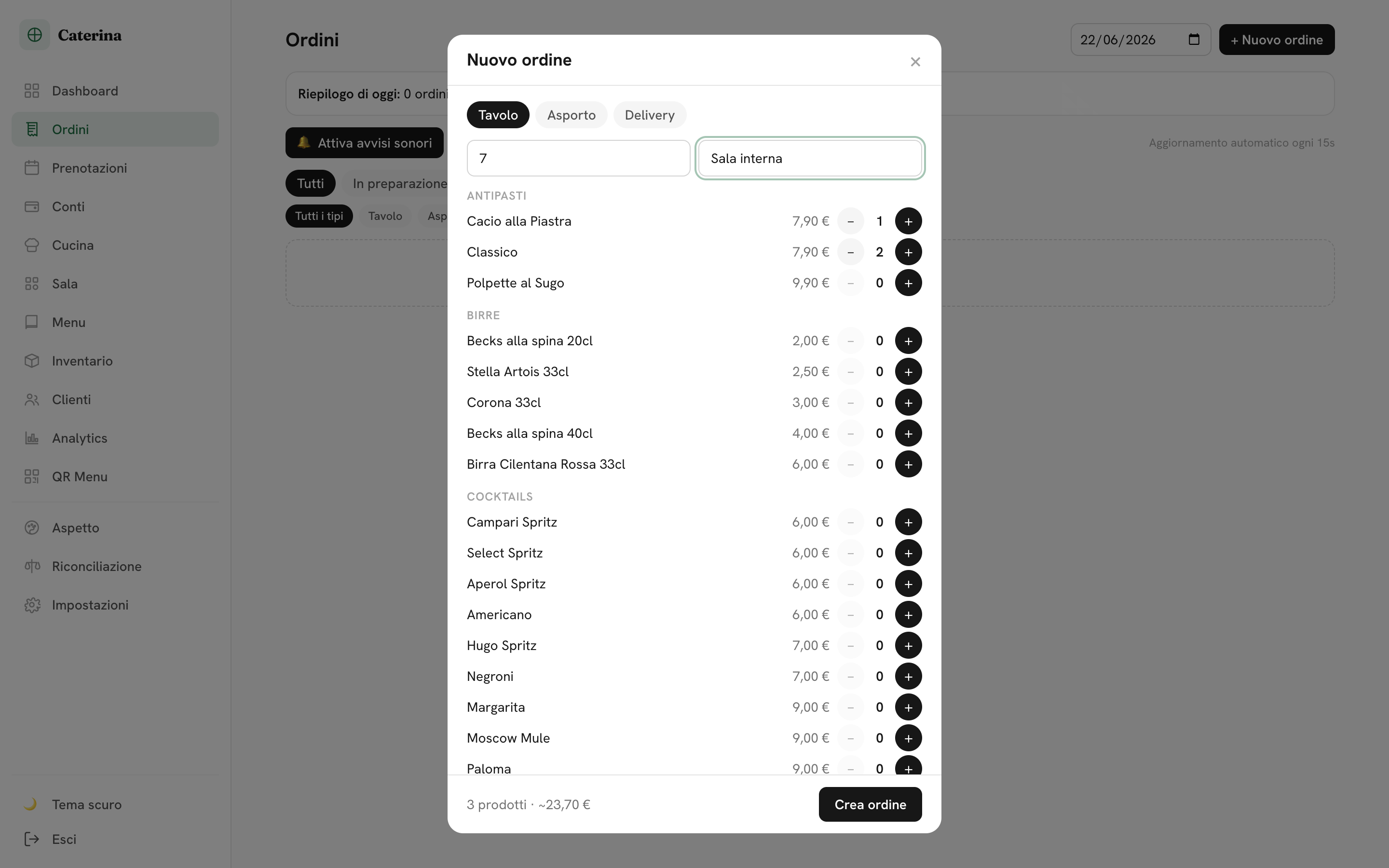
- Tap a table — open a new order with quick dish search, or the table’s bill with even split.
- Multiple rooms — indoors, terrace, private… each with its tables; guests pick the room and the kitchen sees it next to the table number.
Reservations
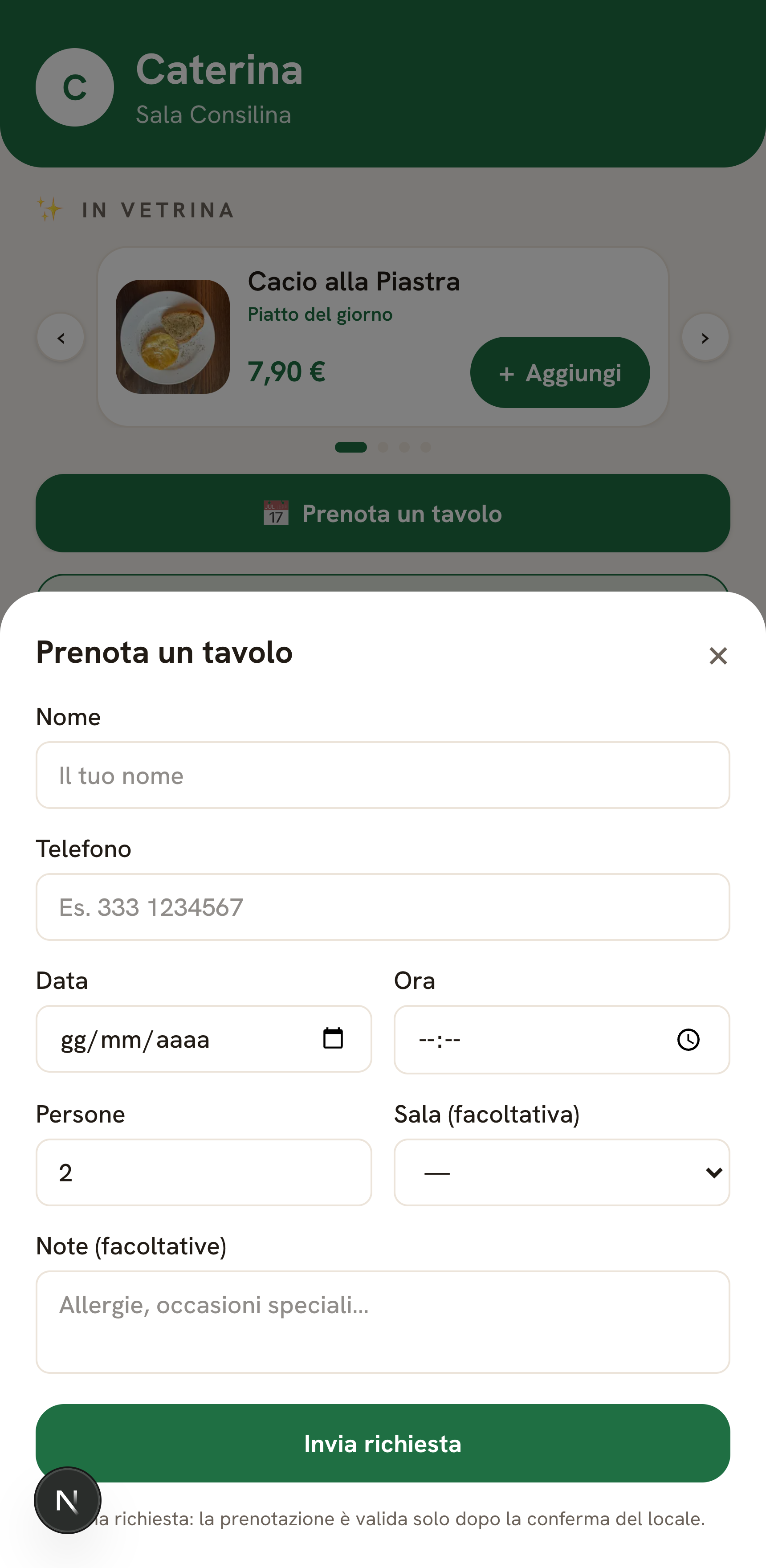
Fill your tables, skip the phone calls.
Guests request a table from the menu (name, phone, date, time, party size). You confirm or decline from the dashboard and get notified.
- Day-by-day agenda — upcoming confirmed bookings, in tidy cards.
- Confirm / decline / cancel in one tap.
- Fewer missed calls, more covers.
Reputation
Every order works on your reputation.
A nudge toward Google reviews
After the order, a gentle invitation to review you on Google: your reputation grows while you run the service.
Private star ratings
Guests leave a rating only you can see, in your dashboard: you know how the night went before it hits Google — and you catch unhappy guests early.
Everything under control
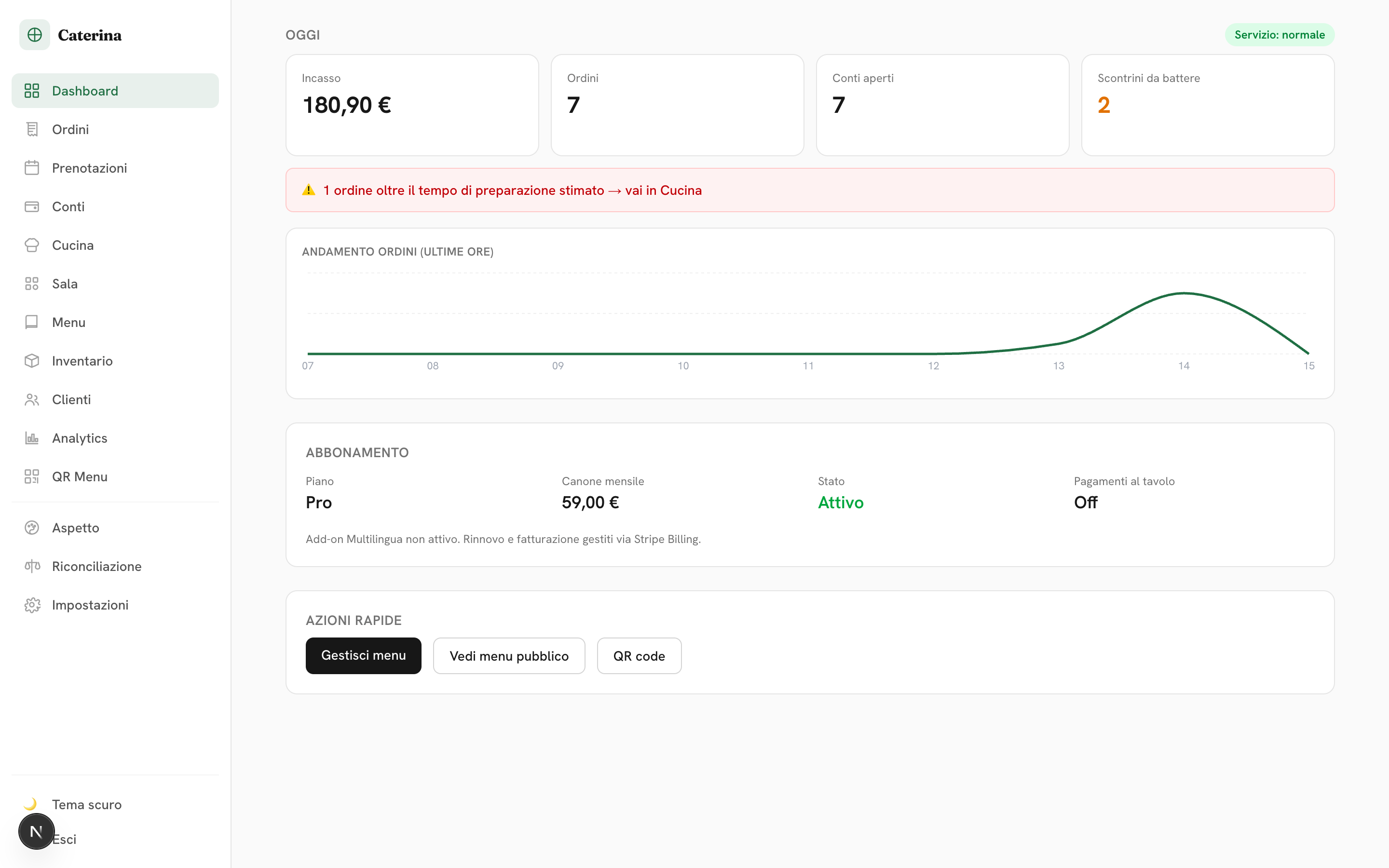
Revenue and analytics, in real time.
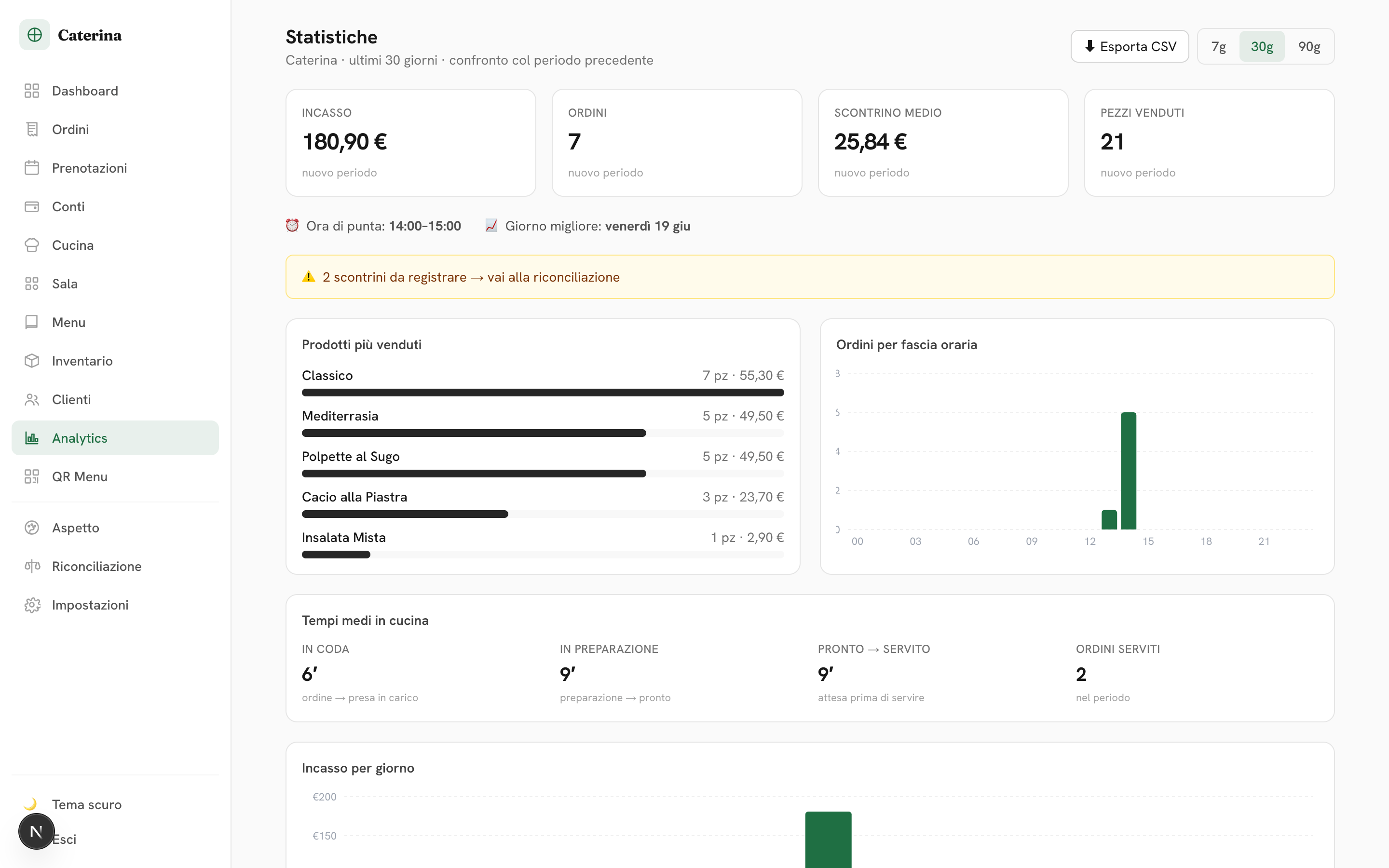
Today’s revenue, orders, open bills, service status and late alerts — plus analysis of dishes, peak hours and kitchen times, with CSV export. And for evening service, the dashboard has a dark theme too.
Total autonomy
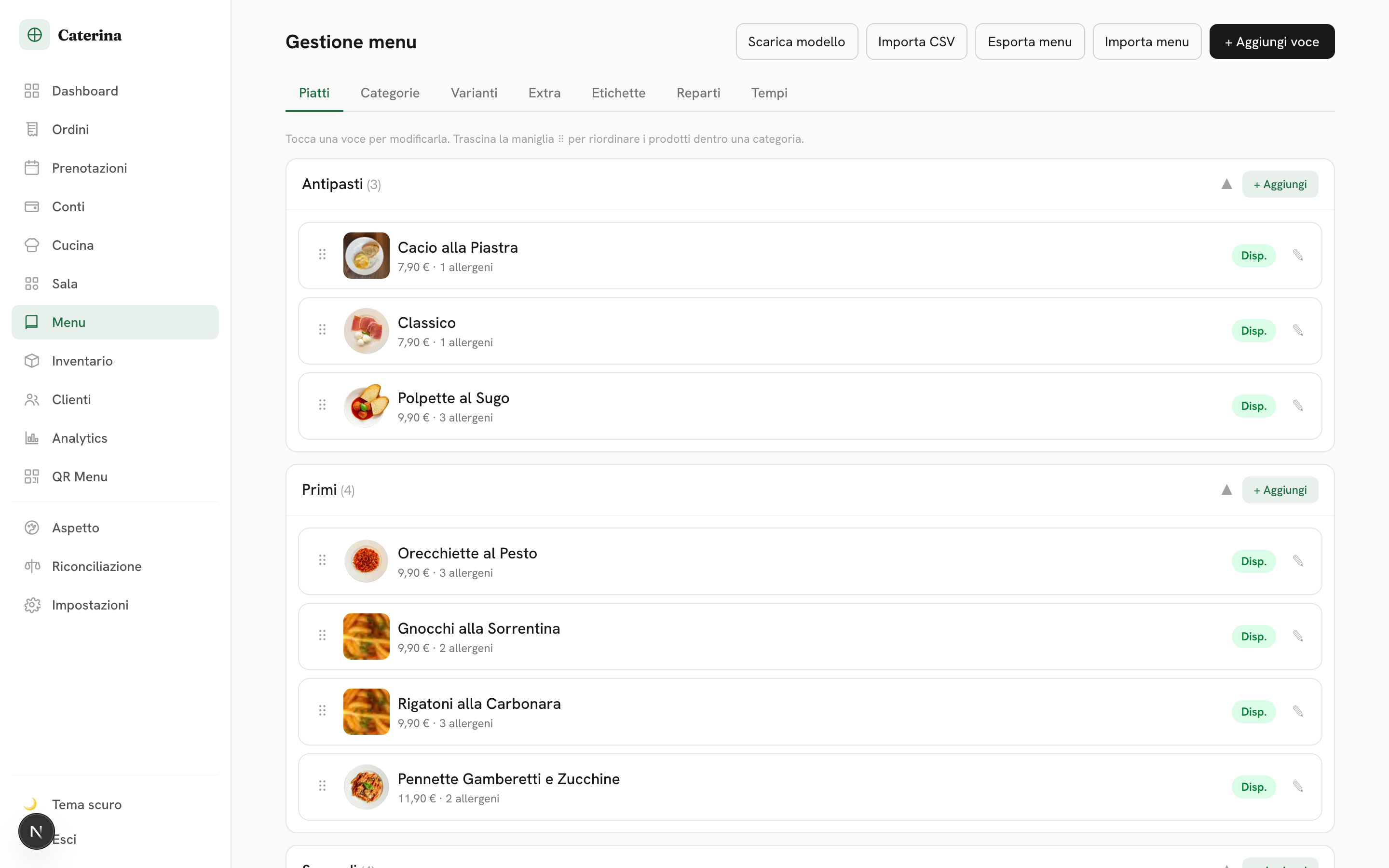
You run the menu yourself, in a click.
Add dishes, photos, prices, variants, allergens and calories yourself. Reorder categories and products; “sold out” updates instantly for guests.
- Showcase & “Recommended” — daily specials in a carousel and badges on dishes you want to push: the menu becomes your salesperson.
- Hours, closures and announcements — out-of-hours ordering blocks itself; holidays and events go in a banner.
- Dedicated takeaway price — different dine-in and takeaway prices on the same dish, no duplicate menus.
- Full-menu import/export and a print-ready QR.
Fiscal receipts stay with your register.
slashfood does not issue fiscal documents: you print receipts on your certified register, as always. The app clearly flags which orders still need a receipt, so nothing slips through.
It’s a matter of doing things right. Automatic fiscal printing (certified register integration) is already on the roadmap.
Compliance built in
Compliant, visibly so.
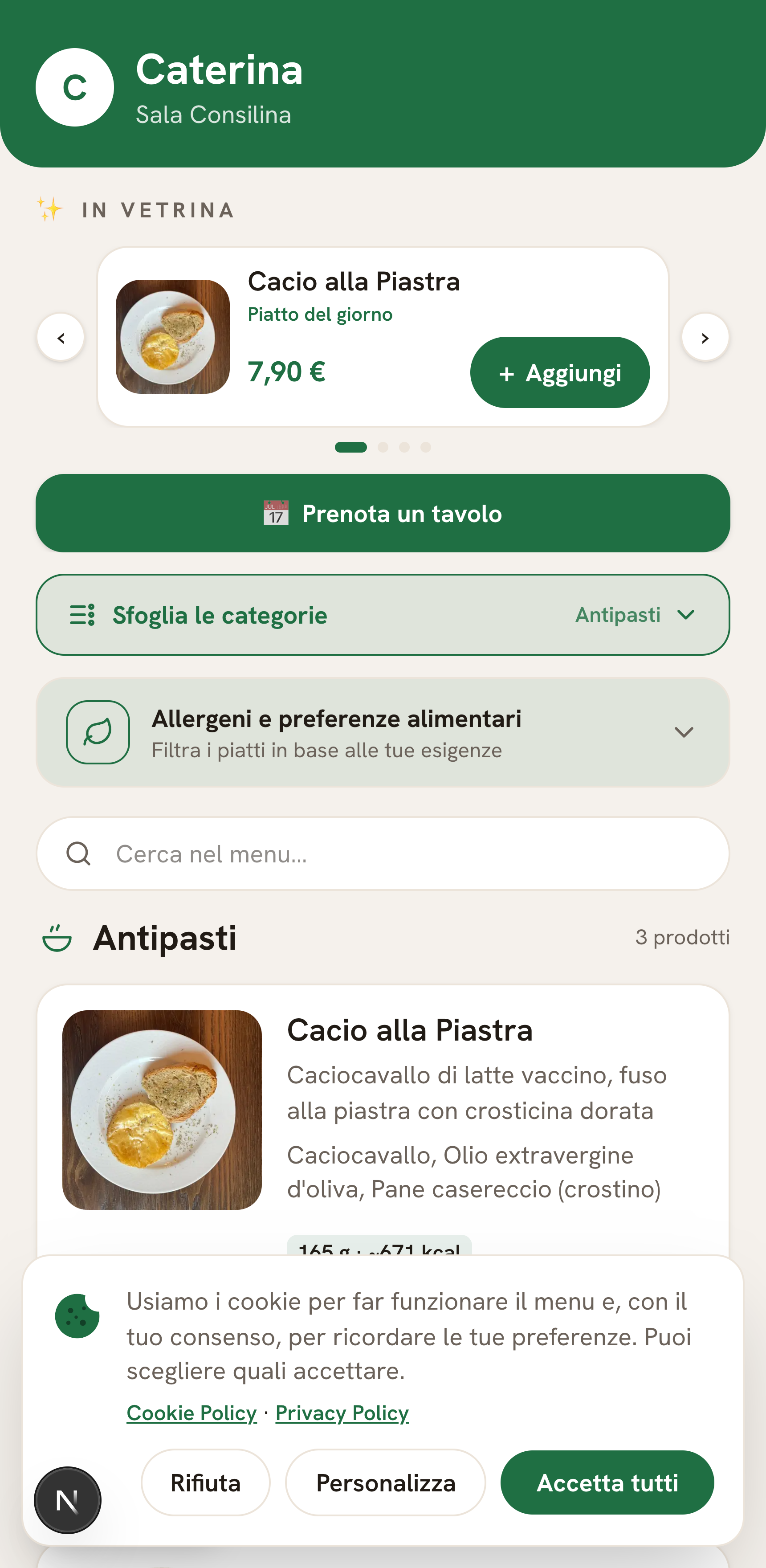
- Cookie banner with granular consent (accept / decline / customise).
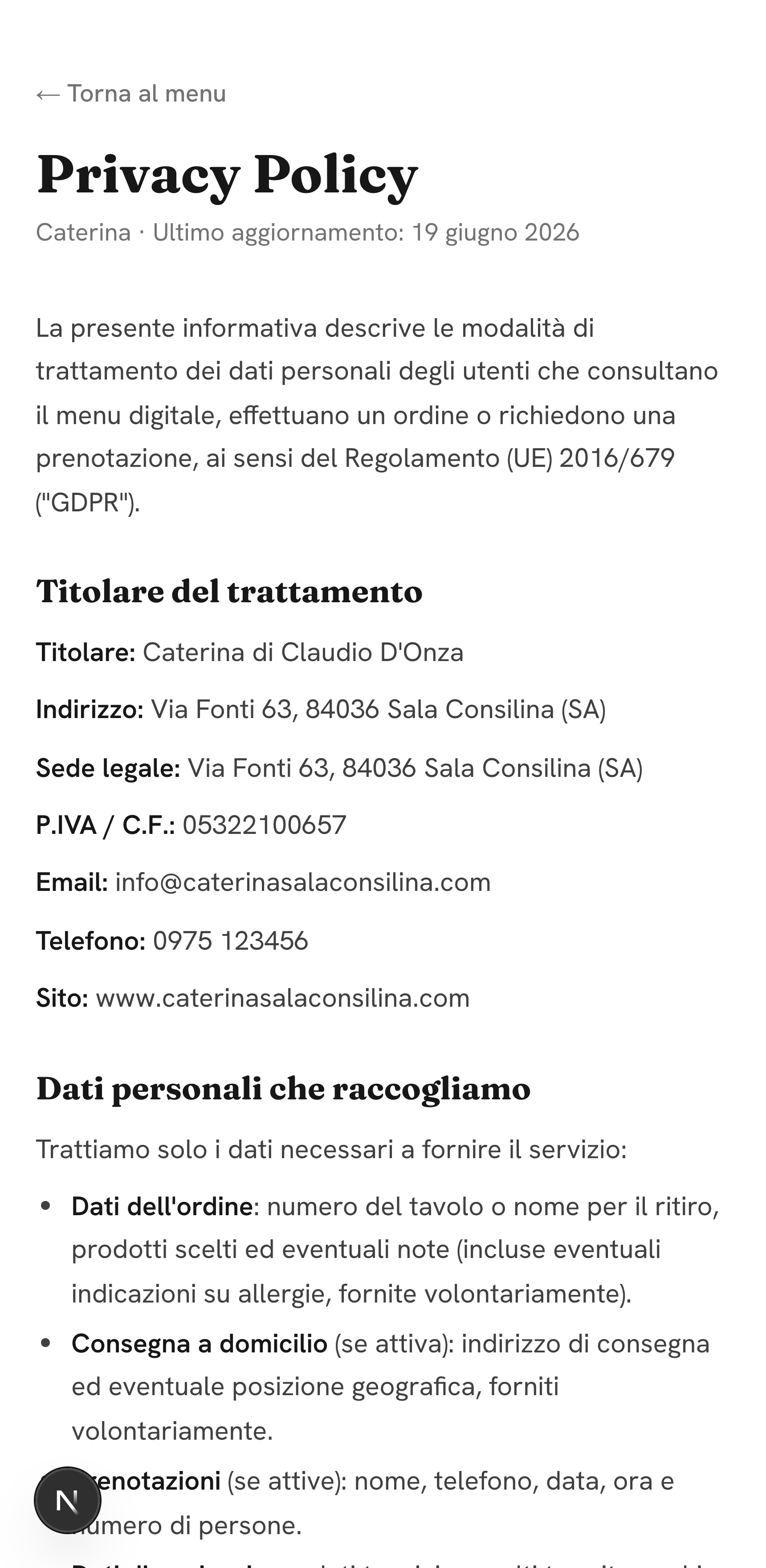
- Cookie & Privacy Policy pages generated for your restaurant, with your details.
- Data kept safe, with separate access per restaurateur.
Room to grow
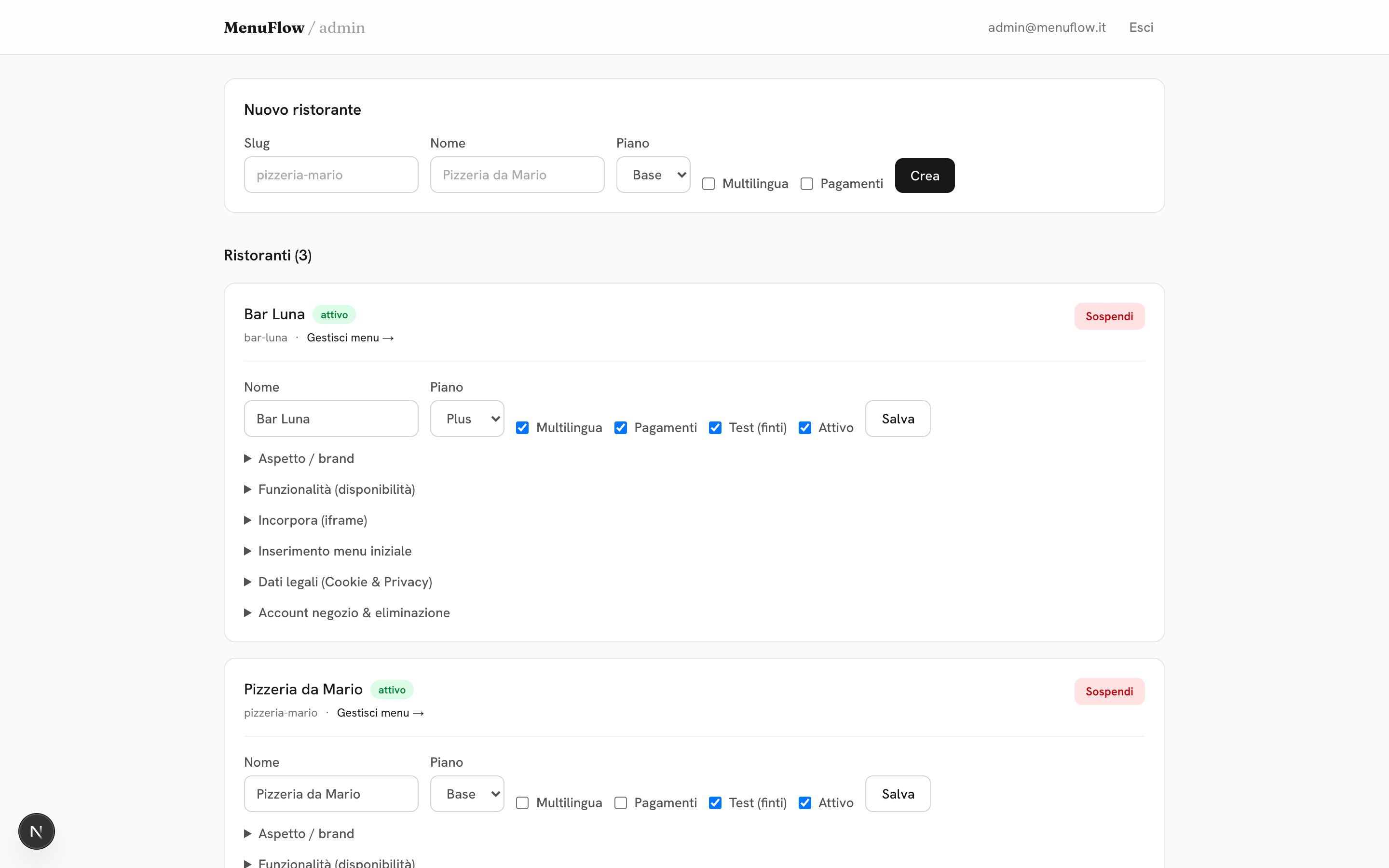
One venue today, a chain tomorrow.
Every venue gets its own address and brand (logo, colors, theme). Opening a second location? It’s added in moments, same app.
- Subdomain or custom domain.
- Light/dark theme and your brand colors.
- Multi-language available as an add-on.
Plans
Choose how far to take it.
Add-on Multilingua +10,00 €/month. No lock-in — switch features on and off whenever you like.
Bring your restaurant to the digital table.
Set it up yourself in 5 minutes — or let us show you slashfood on your own menu, live and with no strings.
slashfood